


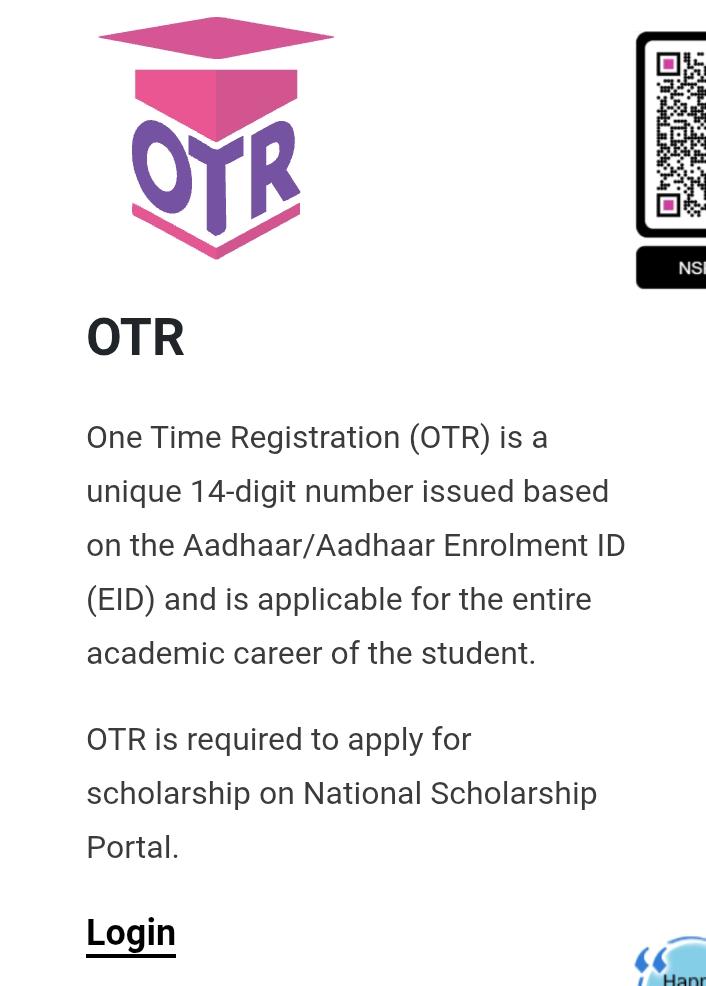
 सबसे पहले Login पर क्लिक करें। अब आपके सामने एक नया पेज खुलेगा।



All Computer Work at home


यह एक तरह का Permanent Registration System है जो कई सरकारी भर्ती बोर्ड/संस्थान (जैसे UPSSSC, SSC, RPSC, UPSC आदि) ने शुरू किया है।
This is a kind of Permanent Registration System that has been started by several government recruitment boards/commissions (such as UPSSSC, SSC, RPSC, UPSC, etc.).
एक बार आप OTR में अपनी सारी details (नाम, पिता का नाम, शिक्षा, प्रमाण पत्र, पहचान पत्र, फोटो, हस्ताक्षर आदि) डाल देते हैं।Once you enter all your details in OTR (such as name, father’s name, education, certificates, ID proof, photo, signature, etc.),
ये details सिस्टम में सुरक्षित रहती हैं।these details are securely stored in the system.
जब भी नई vacancy आती है, तो आपको बार-बार पूरा फॉर्म भरने की जरूरत नहीं होती।Whenever a new vacancy is announced, you don’t need to fill the entire form again.
आप सिर्फ उस vacancy के लिए लॉगिन करके आवेदन कर सकते हैं।You can simply log in and apply for that particular vacancy.
गलती की संभावना कम हो जाती है।The chances of making mistakes are reduced.
फॉर्म भरने की प्रक्रिया तेज़ हो जाती है।The process of filling out the form becomes faster.
उम्मीदवार का Unique Registration Number बन जाता है।A unique registration number is generated for the candidate.
ध्यान रखने की बात यह है कि हर एक संस्था अपना अलग-अलग OTR पोर्टल देती है।
यानि अगर आपने पुलिस का OTR किया है तो वह केवल पुलिस भर्ती में मान्य होगा, SSC या अन्य संस्थाओं में नहीं।
हाँ, एक बात यह है कि पुलिस विभाग की जितनी भी भर्ती आएंगी, उन सभी में वही एक OTR काम आएगा और उसी से आप सभी फॉर्म भर पाएंगे।
It is important to note that each organization provides its own separate OTR portal.
That means if you have done the Police OTR, it will be valid only for Police recruitments, not for SSC or other organizations.
However, the point is that for all the recruitments announced by the Police Department, the same OTR will be used, and you will be able to fill all the forms through it.
सबसे पहले आपको Scholarship Portal पर जाना होता है
सबसे पहले अपने राज्य या National Scholarship Portal (NSP) पर जाएं।
राष्ट्रीय स्तर का portal: scholarships.gov.in
अगर आप UP Scholarship के लिए हैं तो: https://scholarship.up.gov.in/index.aspx
बिहार, एमपी आदि राज्यों के भी अपने-अपने पोर्टल होते हैं।
Oficial Website link
OTR पंजीकरण पर क्लिक करेंClick on OTR Registration
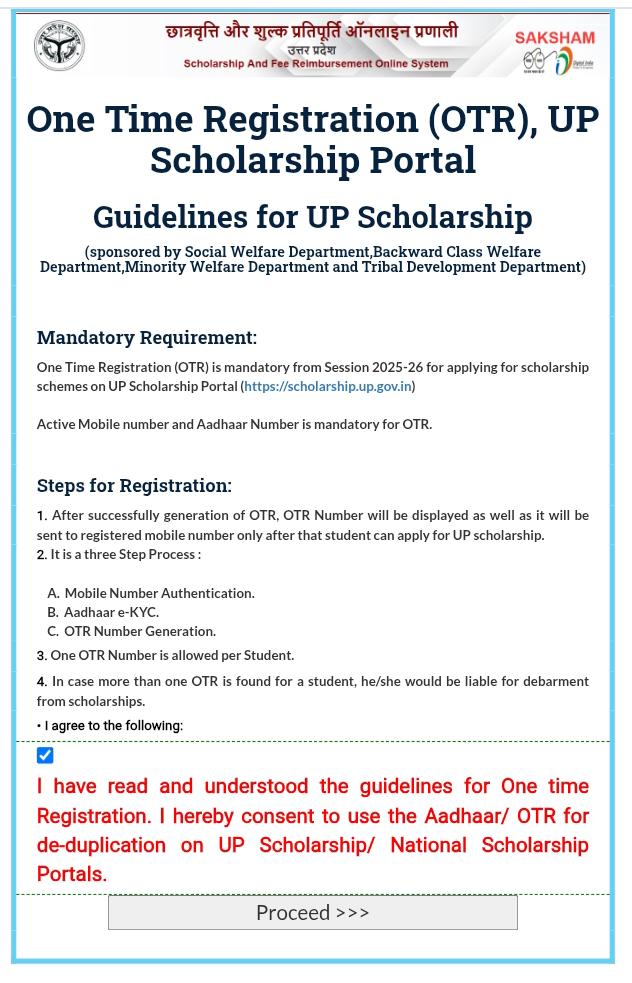
पेज खुलने के बाद ‘I Agree’ पर टिक लगाकर आगे बढ़ें Proceed बटन दबाएँ।
After the page opens, tick on ‘I Agree’ and then click on the Proceed button.
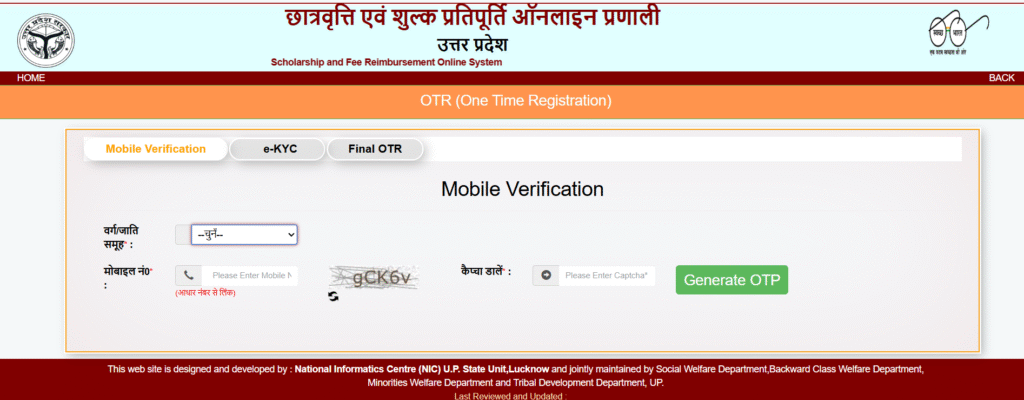
सबसे पहले अपनी जाति चुनें।
उसके बाद अपना मोबाइल नंबर दर्ज करें।
स्क्रीन पर दिख रहा कैप्चा कोड भरें।
अब ओटीपी जनरेट करें बटन पर क्लिक करें।
First, select your caste.
After that, enter your mobile number.
Fill in the captcha code shown on the screen.
Now, click on the Generate OTP button.
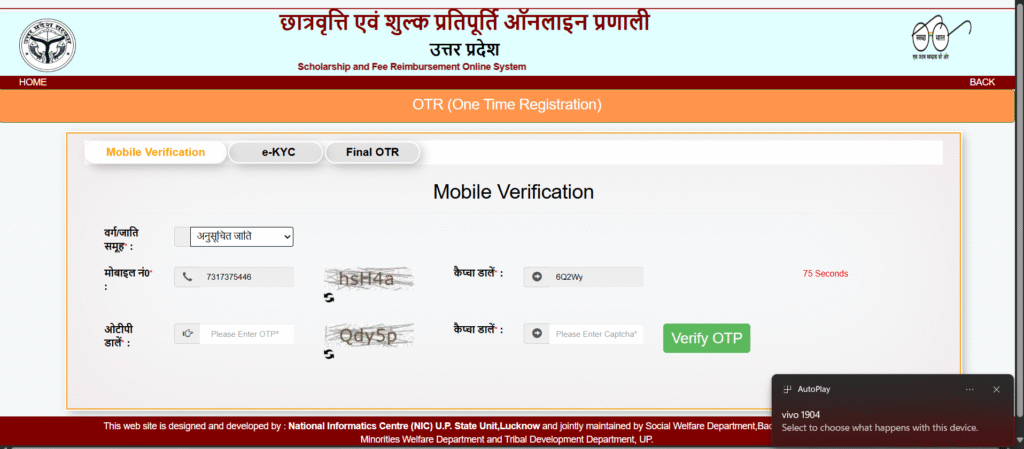
ओटीपी डालकर फिर से कैप्चा भरें और सबमिट करें।
Enter the OTP, fill in the captcha again, and then click on Submit.
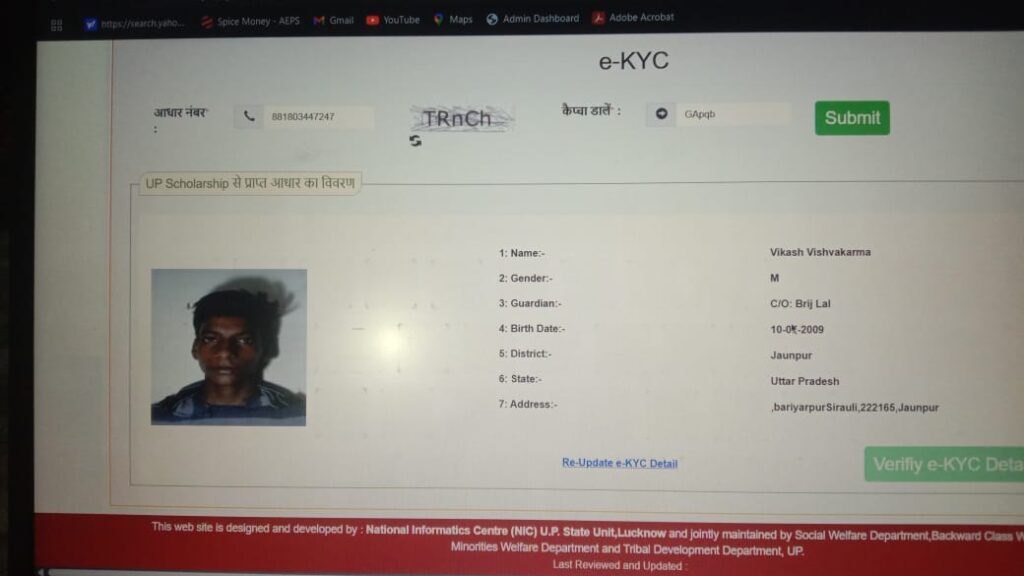
आधार नंबर डालकर फिर से कैप्चा भरें और आपके सामने इस प्रकार का पेज खुल जाएगा।Enter your Aadhaar number, fill in the captcha again, and a page like this will open in front of you.
ई-केवाईसी विवरण वेरीफाई करें।
आपके आधार पर एक ओटीपी जाएगा, उसे भरें।
फिर एक नया पेज खुलेगा।Verify the e-KYC details.
An OTP will be sent to your Aadhaar-linked mobile number, enter it.
Then, a new page will open.
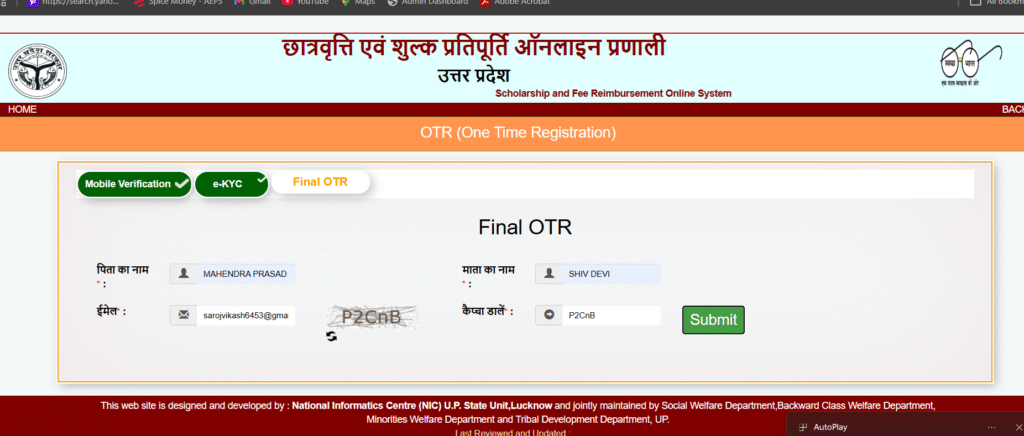
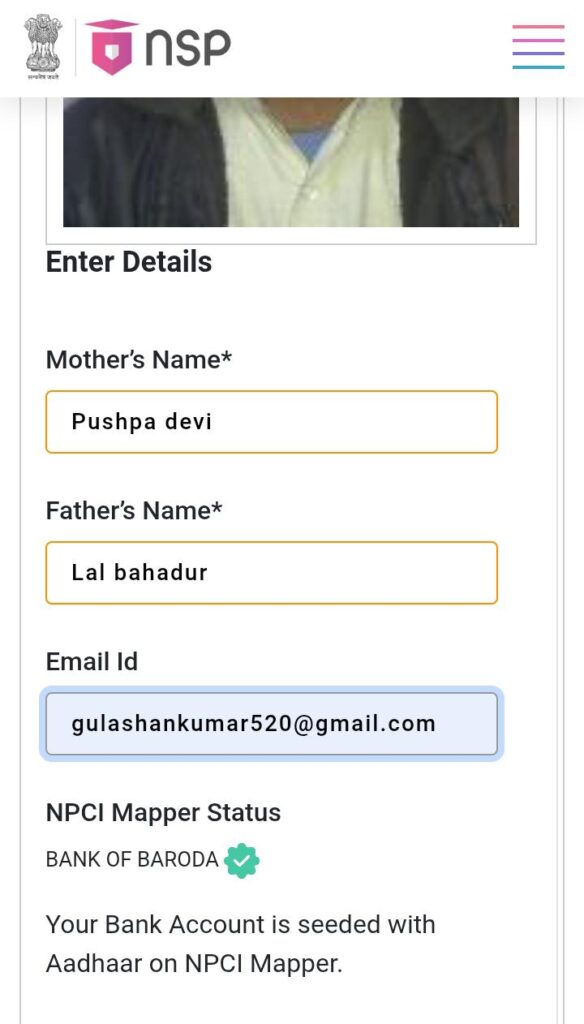
इसमें अपने माता-पिता का नाम आधार से मिलाकर भरें और सबमिट कर दें।Enter your parents’ names as per Aadhaar, and then click on Submit.
फिर भी अगर न समझ आए तो आप मुझसे करा सकते हैं।If you still don’t understand, you can get it done by me.
Oficial Website link
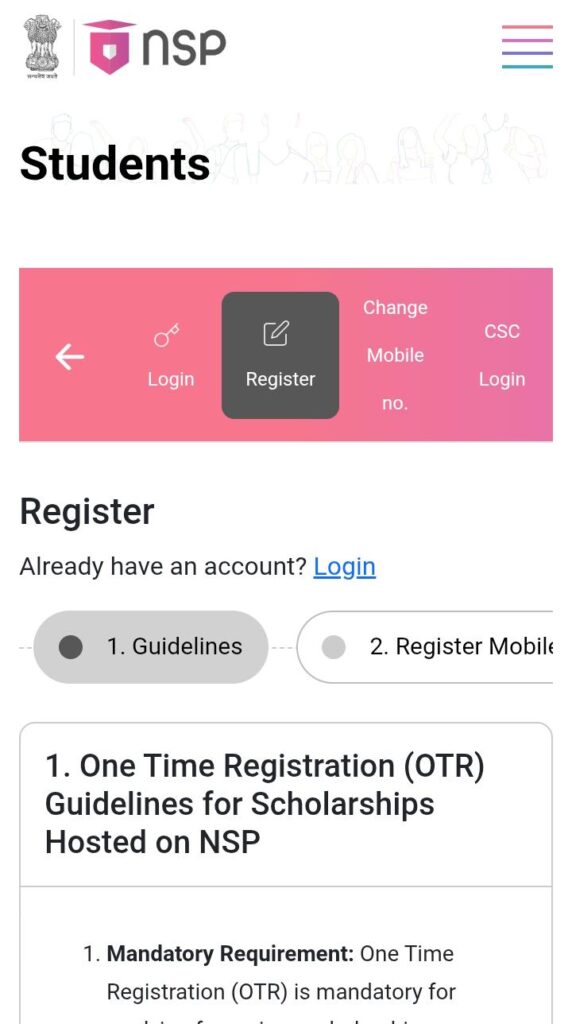
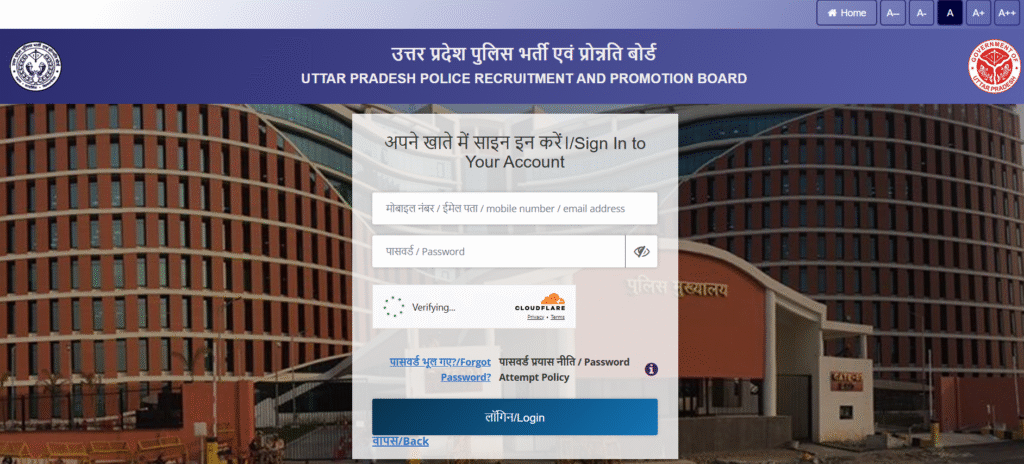
सबसे पहले Login पर क्लिक करें। अब आपके सामने एक नया पेज खुलेगा।
First, click on Login. Now, a new page will open in front of you.
click on register
अपना मोबाइल नंबर डालकर Resend OTP करें, फिर ओटीपी को भरें।
इसके बाद कैप्चा डालकर I Agree करें।Enter your mobile number and click on Resend OTP, then fill in the OTP.
After that, enter the Captcha and click on I Agree.
आधार नंबर डालें और Get OTP करें।
आपके आधार से लिंक मोबाइल नंबर पर ओटीपी जाएगा, उसे भरकर वेरिफाई करें।Enter your Aadhaar number and click on Get OTP.
An OTP will be sent to the mobile number linked with your Aadhaar, fill it in and verify.
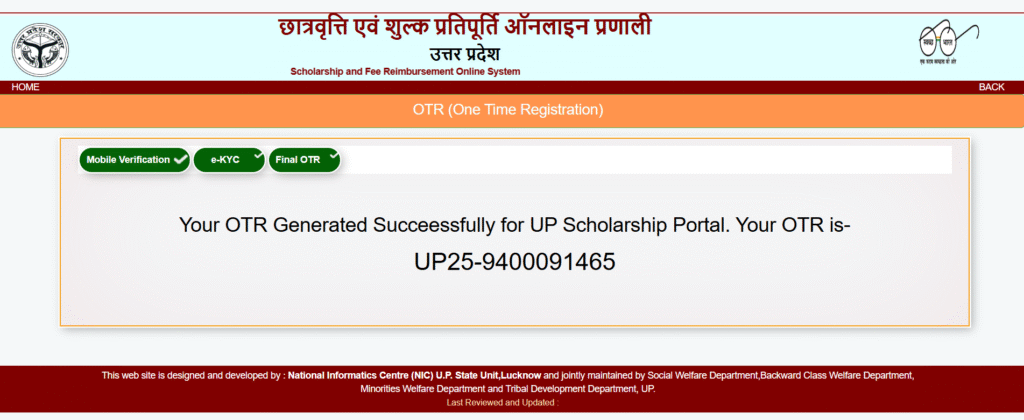
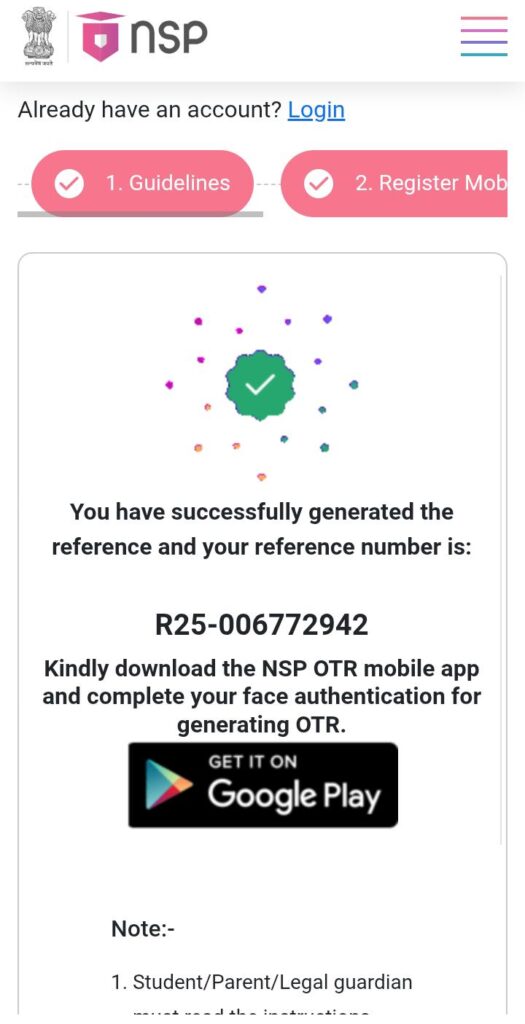
माता-पिता का नाम और ईमेल आईडी भरकर आगे बढ़ाएँ, फिर आपको ओटीआर नंबर मिल जाएगा।
Fill in your parents’ name and email ID, then proceed. After that, you will receive your OTR number.
Send sms for any problem or fillup to form
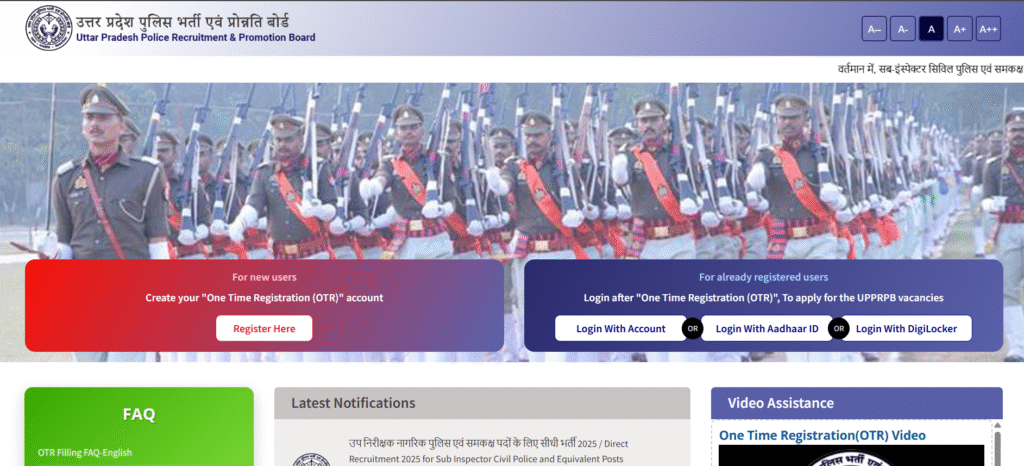
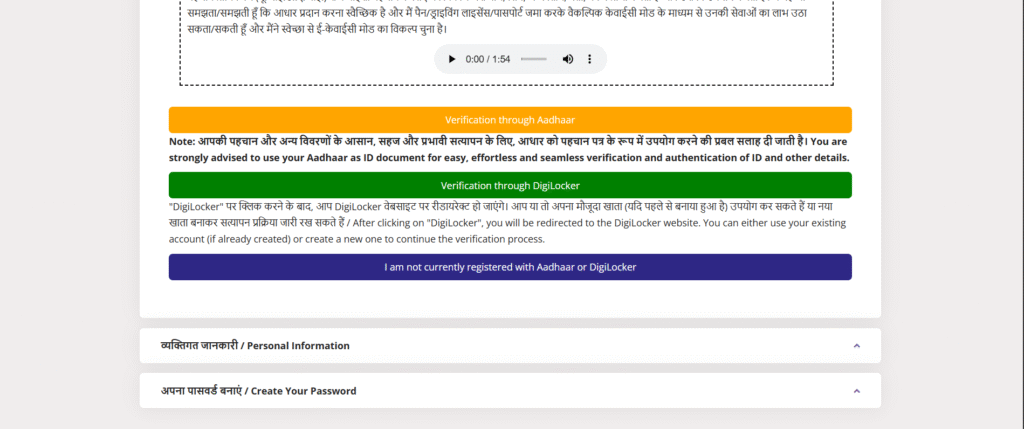
👉 UP Police का होम पेज खुलेगा, उसमें “Register Here” पर क्लिक करें।
UP Police home page will open, then click on “Register Here”.
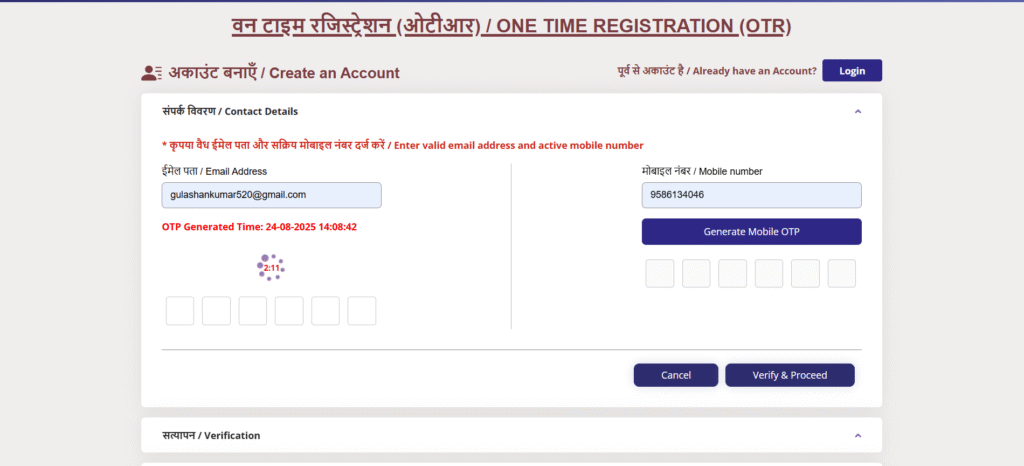
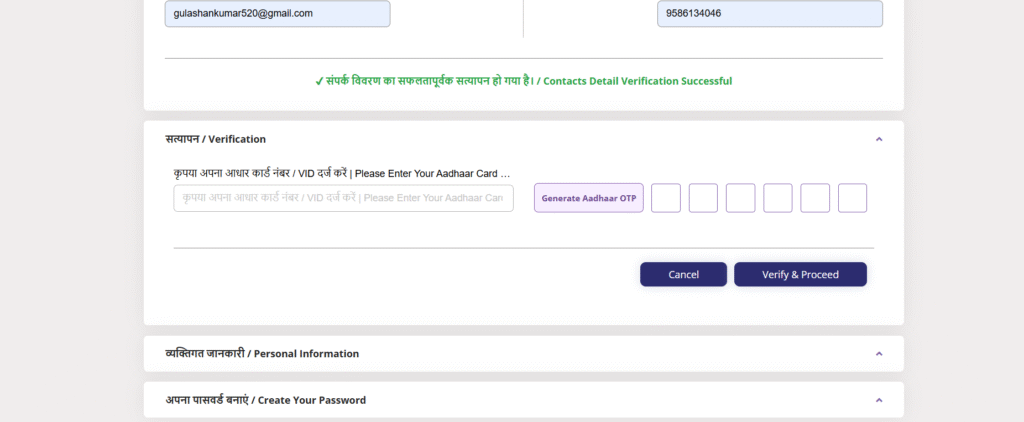
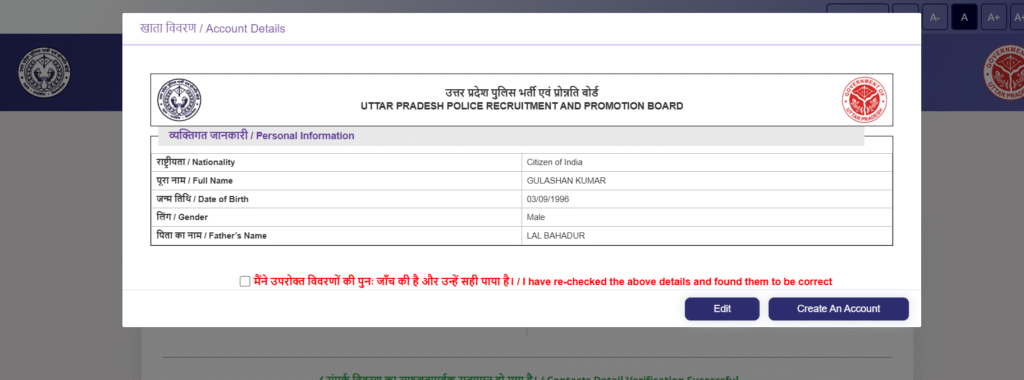
👉 ईमेल और मोबाइल नंबर डालकर OTP जनरेट करें और उसे भरकर वेरिफ़ाई करके आगे बढ़ें।Enter your email and mobile number, generate the OTP, fill it, verify, and then proceed.
“आधार के माध्यम से वेरिफाई करें, फिर एक नया पेज खुलेगा।Verify through Aadhaar, then a new page will open.
“आधार नंबर डालकर ओटीपी जनरेट करें और ओटीपी भरकर Verify and Proceed पर क्लिक करें।”Enter your Aadhaar number, generate the OTP, fill in the OTP, and click on Verify and Proceed.”
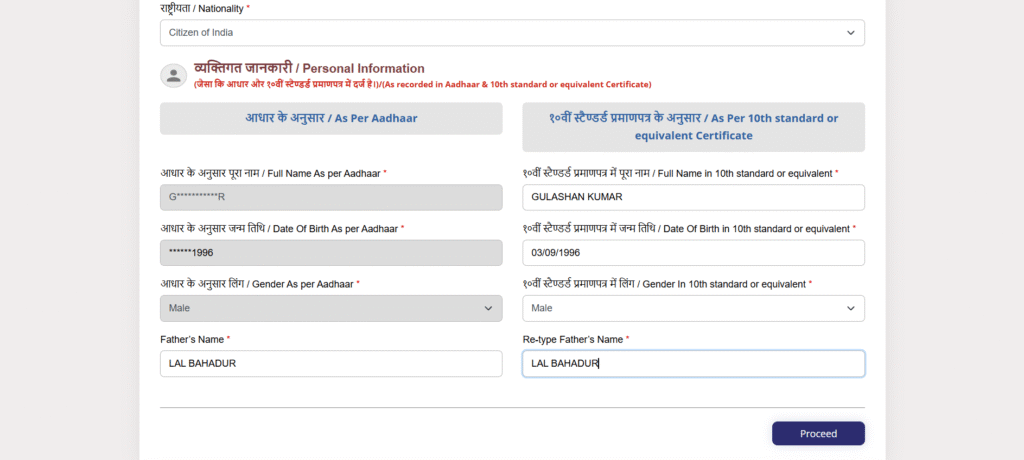
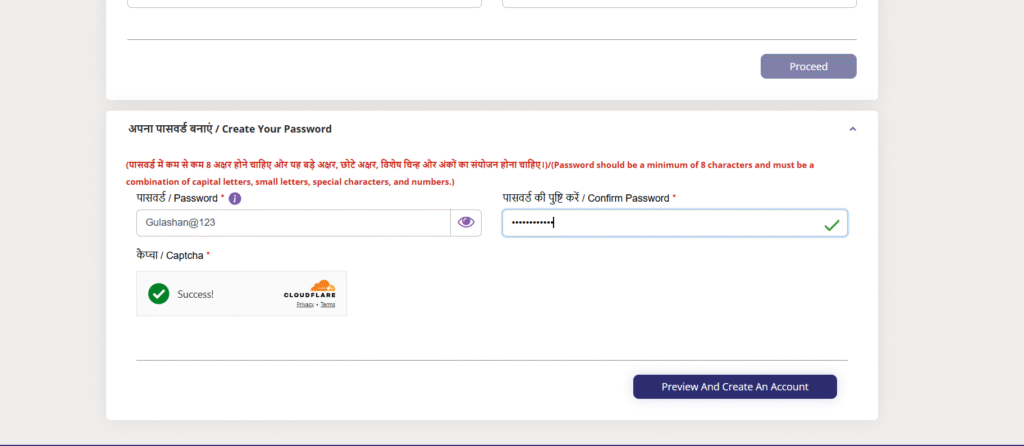
“पर्सनल डाटा भरकर Proceed करें और नए पेज पर अपना पासवर्ड सेट करें।”Fill in your personal data, click on Proceed, and set your password on the new page
“अपना खुद का पासवर्ड बनाएं और उसे कहीं लिखकर सुरक्षित रख लें, क्योंकि उसी से लॉगिन होगा।”Create your own password and write it down somewhere to keep it safe, because you will need it to log in
Lorem ipsum dolor sit amet, consectetur adipiscing elit. Ut elit tellus, luctus nec ullamcorper mattis, pulvinar dapibus leo.
Loading...
Processing payment... Please wait